
Motion Star Video Gallery
- A compact, impressive, easy to use video gallery for your portfolio needs.
- Embedded video playback inside the video thumbnails.
- Admin page to easily manage your videos and video categories.

The Motion Star video gallery is a quick, compact, simple solution to display a video portfolio.
The single-page admin section enables fast and intuitive management without complicated menus or learning curves. Just drag and drop, add, edit or delete videos.
The front page updates as soon as you change something in the admin page.

Title, Subtitle and Hero image
A simple title and subtitle together with an image identifies the video gallery.

Carousel with video clips
Video clips are displayed on a horizontal carousel. This is the most important element of the simplicity and compact nature of Motion Star. No cluttered grid views, just a horizontal carousel. Several tabs above the carousel can be used to display the various categories of video clips.

Front-page tabs
Tabs help arrange your videos in categories, creating simple and efficient navigation for your video gallery page. You can assign videos to each category and they will appear under the respective tab.
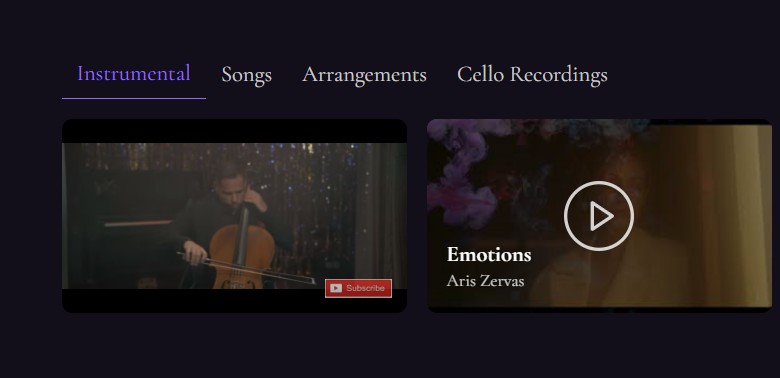
Video player
Videos play with a click, in a popup window, without jumping to YouTube, keeping the visitor in the video gallery website. The viewer can maximize the video to full screen.
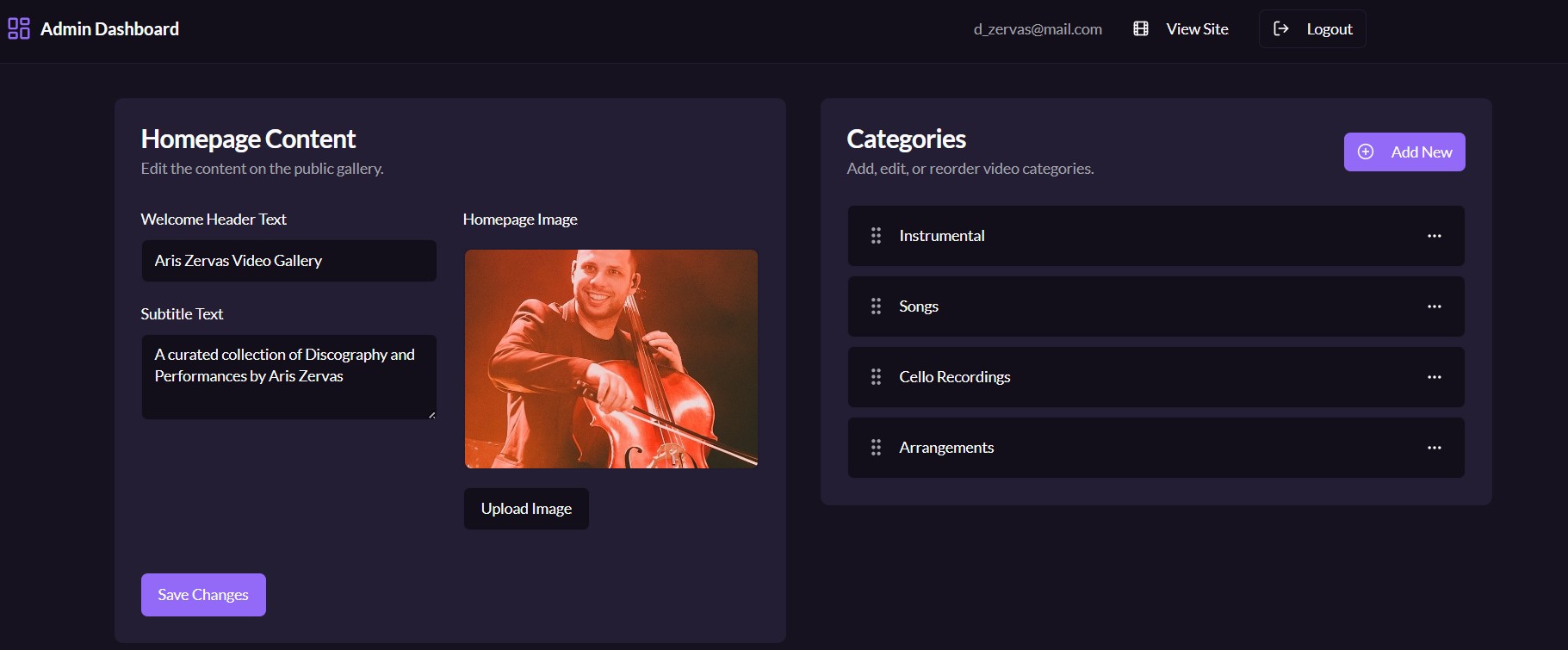
Admin page
To manage videos, there is an admin page. This is a single page without complicated menus. All you need to do is simple intuitive actions to add, edit or delete videos and categories.
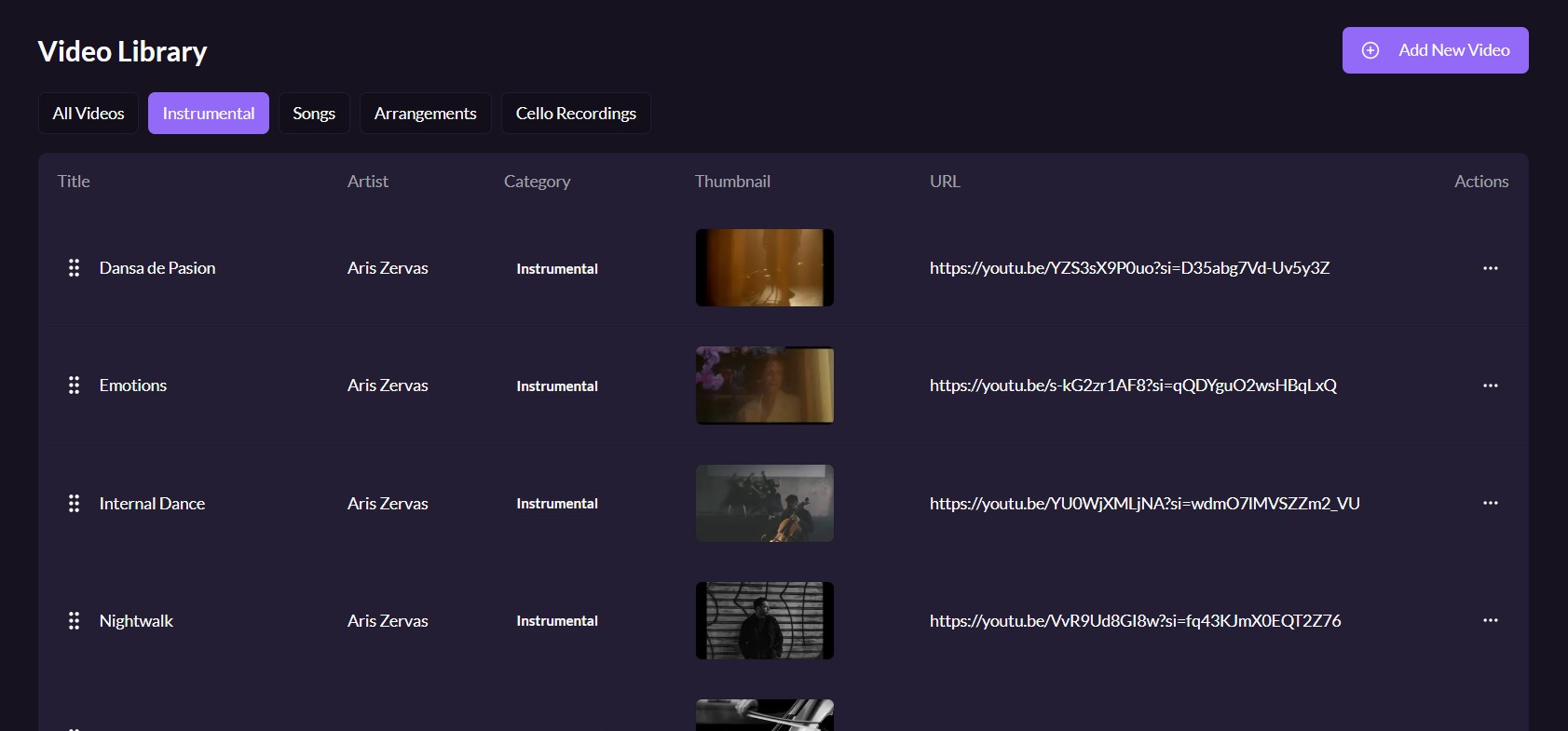
Video Library Management
The Admin page includes the video library management.
Add, edit or delete video clips just by copying the YouTube sharing link.
The video library displays all the videos as drag and drop cards, with their thumbnails and YouTube links.
The video clip information can be edited and you can always delete a video clip if you wish.
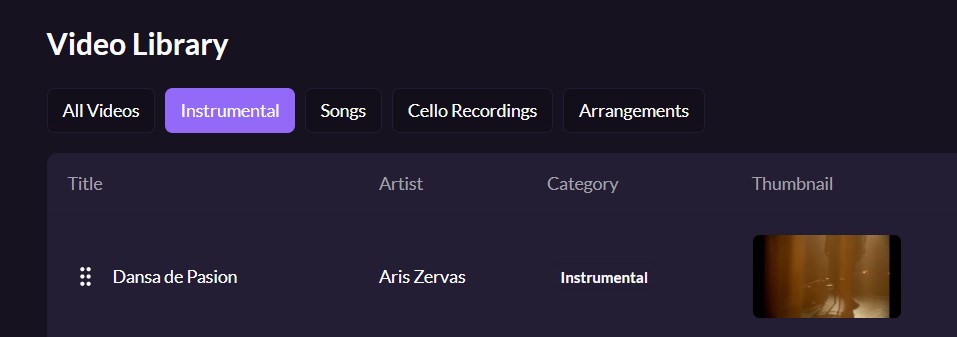
Filter by Category
Filters appear on top of the video library, enabling you to see the list of a particular category. This has an additional functionality: The order by which the videos appear in their category, is the order of appearance in the front-page carousel. You can change the order by drag and drop in the video list.
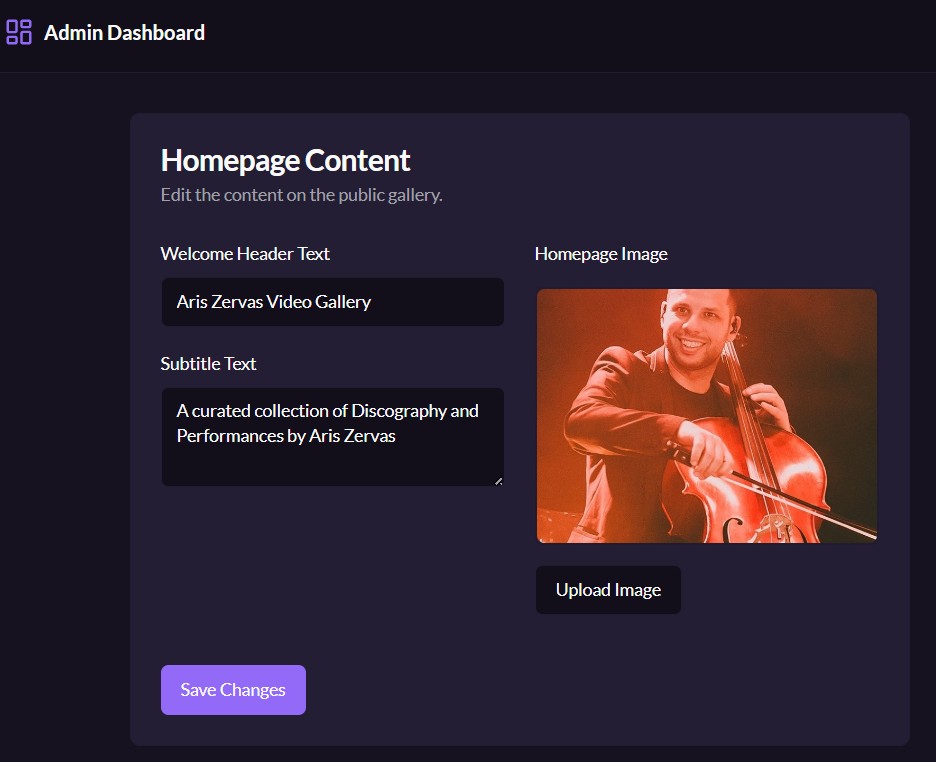
Hero image and front-page text management
Change your front-page image (called by web designers the “Hero” image) at any time.
Manage the text of the page title and subtitle, whenever you want to change them, without the need of a web designer.
The changes appear on the page instantly.

Categories management
Create categories for your video clips.
Manage their order by drag and drop. The order of the categories in the admin page is the order by which they will appear in the front page, so you have total control!
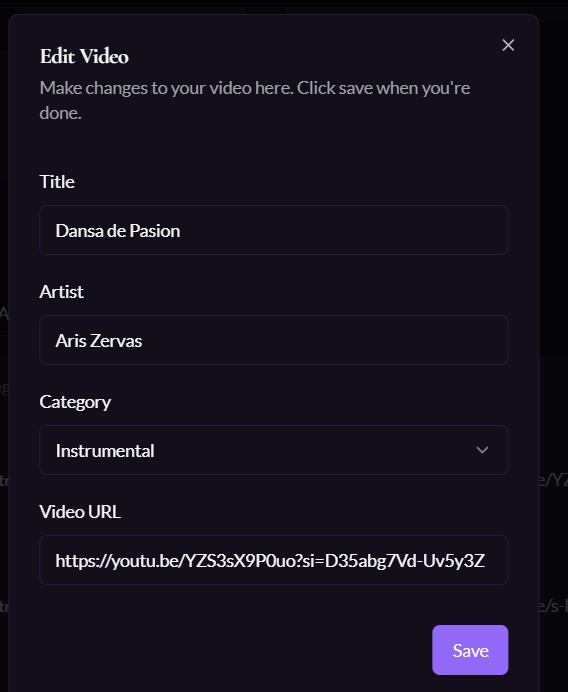
Adding a video clip
Just click “Add Video” and you get a very simple popup.
Provide a title, an artist and the category under which this video is classified.
Your video will appear in the list. An automatic thumbnail will be generated.
Motion Star Video Gallery FAQs
What is the Motion Star Video Gallery?
It is a simple and compact Video Gallery for you to show your video portfolio.
What are the main benefits of Motion Star?
Motion Star is compact and easy to use with simple but great design. The admin page is a single page without complicated menus and portals. The user can manage all aspects of the front-page.
Do I need to have an existing website?
No, you don’t need an existing website. The Motion Star Video Gallery is a standalone mini-website and will appear under a Creative Wonders subdomain, such as “mygallery.crwonders.com”.
If I have an existing website, can I integrate Motion Star?
Motion Star can appear under your website “yourdomain.com” as a subdomain. We can provide the instructions to setup this subdomain, for example “videogallery.yourdomain.com”. Motion Star will remain standalone and will have no other integration with your website, except the subdomain.
Can I use Motion Star under a full domain?
Yes, we can set it up with a domain name of your choice, for a small additional fee, depending on the domain type.
Can you change the design of the front page to match my branding?
At the moment there is no provision to change the design of the front-page. This is to keep Motion Star compact and robust. The design will be just like in the screenshots of the product page.
Can I upload videos in Motion Star?
Motion Star works by displaying videos that are already uploaded on YouTube, so there is no reason to provide upload functionality within Motion Star. You only need to provide the video links. MotionStar is not a video hosting service, but an easy to use and compact video gallery.
Does Motion Star support other video platforms except YouTube?
Motion Star currently only supports YouTube video links.
Is Motion Star suitable for thousands of videos?
Motion Star is a compact video gallery that was designed for someone to display their video portfolio online in a quick way. Although there is no limitation, it works best with a small number of videos, such as 50 or 100 videos.
Demo, pricing and information request
Use the following form to request a demo, information and pricing about the MotionStar video gallery.